
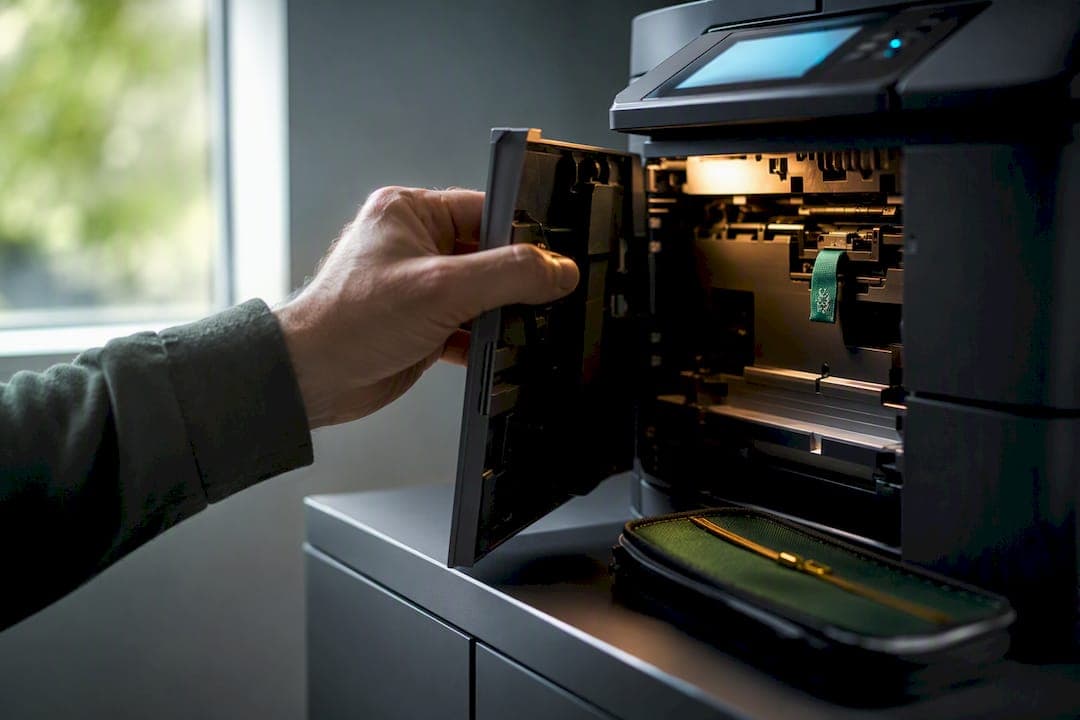
Treat every networked printer as an enterprise endpoint, not an office appliance, following healthcare mobile security best practices for IT teams that emphasize endpoint management and reducing credential exposure. That means inventorying each device, stripping out default and privileged credentials, isolating it on a controlled VLAN, and putting it on a firmware patch schedule with a real deadline. The rest of this guide walks through how to do that in a single maintenance window, starting with why printers became a target in the first place.
TL;DR:
- Every networked printer should be inventoried, with default credentials removed and strong, unique passwords applied before connection to the network.
- Printers must be segregated onto dedicated VLANs, with restricted management access and no internet-facing interfaces to minimize exposure risks.
- Firmware updates and device hardening should follow scheduled SLAs, with small pilot groups testing settings to prevent disruptions in legitimate services.
- Print management servers and connectors must be included within regular patching and incident response workflows, avoiding separate or neglected security treatment.
- Implementing secure print release and formal decommissioning procedures ensures sensitive jobs stay private and old devices do not become backdoors into the network.
Table of Contents
- Why Printers Are High-Risk Endpoints
- Building a Printer Inventory and Onboarding Devices Securely
- Network Segmentation and Access Control for Printers
- Firmware Patching and Device Hardening on a Schedule
- Print Servers and Connectors Belong in Your Vulnerability Program
- Secure Print Release and Managing Job Privacy
- Decommissioning Printers Without Leaving a Backdoor
- The One-Maintenance-Window Checklist
- How We Apply This Playbook for Oklahoma Small Businesses
- Get Your Printer Fleet Checked Before It Becomes a Problem
- Sources
- FAQ
Why Printers Are High-Risk Endpoints
Printers frequently hold privileged domain accounts and factory-set credentials that attackers reuse for lateral movement, a technique CISA and the NSA flagged as one of the top ten cybersecurity misconfigurations they see in red and blue team engagements. That reframes the threat entirely. A printer isn't just a device that might leak a queued document. It's a potential stepping stone into the domain.
The CVE-2023-27350 PaperCut vulnerability proved the point at scale, letting attackers achieve unauthenticated remote code execution against print management servers. CISA and the FBI told affected organizations to patch immediately or, if that wasn't possible right away, block internet access to the management portal. This is the risk profile that should drive your priorities: inventory first, segment second, patch print servers like you'd patch a domain controller.
Building a Printer Inventory and Onboarding Devices Securely
You can't secure what you haven't counted. Every device needs an inventory record covering model, serial number, IP address, current firmware version, connected management servers or connectors, scan-to destinations, stored credentials, and TLS certificate status. The most commonly overlooked layer is the print control plane itself: embedded web consoles, LDAP or SMB scan targets, and connector certificates deserve their own line items, not just the printer's serial number.
Onboarding new or existing devices should follow a consistent sequence:
- Remove factory credentials before the device ever touches the production network.
- Provision unique, strong credentials tied to a single administrator or service account.
- Attest the device's identity and posture before issuing network access, an approach NIST's SP 1800-36 guidance recommends for trusted device onboarding.
- Assign the device to its network profile or VLAN and log any exceptions in the inventory.
- Pilot the hardened baseline on a handful of printers, testing scanning and connector behavior, before rolling it out fleet-wide.
That last step matters more than it sounds. NIST's onboarding guidance notes that hardened settings applied blind can break legitimate services, which is exactly how IT teams end up quietly rolling back security controls under pressure from frustrated staff.
Network Segmentation and Access Control for Printers
A printer that can talk to the internet, and to every workstation on the network, is a liability regardless of how strong its password is. CISA's guidance on industrial and networked devices is blunt: minimize exposure and never expose print devices directly to the internet.
Segmentation doesn't require an enterprise budget to do right:
- Put printers on a dedicated print VLAN, separate from workstations, servers, and guest Wi-Fi.
- Restrict administrative access to a management VLAN or a jump host, never directly from the general network.
- Allow only the egress traffic printers actually need: management traffic, DNS, NTP, and vendor firmware update endpoints.
- Block all inbound internet access to the devices themselves.
- If a vendor technician needs remote access, use a vetted VPN or jump host and grant temporary, time-boxed accounts rather than a standing login.
CISA's remote-access guidance backs this up directly, recommending that control-system-style devices sit behind firewalls with tightly scoped access rather than open network reachability.
Pro Tip: Set a calendar reminder to review every "temporary" vendor account 30 days after it's created. Most of the standing admin accounts that show up in security audits started as a one-time favor nobody remembered to revoke.
Firmware Patching and Device Hardening on a Schedule
Every printer ships with a default admin account and often a handful of stored domain credentials that nobody has ever changed. That's the first thing to fix, and it costs nothing but time.
- Remove default admin accounts and any stored domain credentials that aren't strictly necessary for a specific integration.
- Set unique, strong passwords for every remaining administrative account, no shared logins across the fleet.
- Establish two patch SLAs: an emergency track that quickly responds to published CVEs, and a routine track that checks vendor advisories regularly.
- Test the hardened configuration on a small pilot group first, and document any exceptions so they don't get rediscovered the hard way during an incident.
This mirrors how a mature organization treats server patch management, and printers deserve the same discipline. A device that's been quietly running three-year-old firmware isn't a minor gap. It's an open door with a "closed" sign taped to it.
Print Servers and Connectors Belong in Your Vulnerability Program
The PaperCut incident wasn't really about printers. It was about the server managing them. Print management servers, Universal Print connectors, and any host running printer-related middleware need to sit inside your regular patch and incident response cycles, not off to the side as "just the print server."
If a patch can't go out immediately, block the management portal from the internet and increase logging until it's applied. That's the same guidance CISA gave PaperCut users during active exploitation, and it holds for any print-management software running exposed. Connector certificates deserve the same protection you'd give a service account password. Microsoft's Universal Print documentation is explicit that these certificates authenticate every request the connector makes, so a stolen or exposed certificate is functionally a stolen credential.
Secure Print Release and Managing Job Privacy
Secure print release holds a job at the server until the requesting user authenticates at the device, typically with a badge tap, a QR code scan, or a PIN. That single change eliminates most of the risk around sensitive documents sitting unattended in an output tray. Microsoft's Universal Print platform supports this model directly, letting administrators require secure release per printer share rather than fleet-wide.
The harder decisions are about data governance: who can view job metadata, how long queued jobs and logs persist, and which roles get access to that history. Document the answers instead of leaving them to default settings. One practical warning: don't stack two authentication methods on the same print queue. Forcing a user to scan a badge and then enter a PIN for the same job is a fast way to get secure release quietly disabled by an exasperated office manager.
Decommissioning Printers Without Leaving a Backdoor
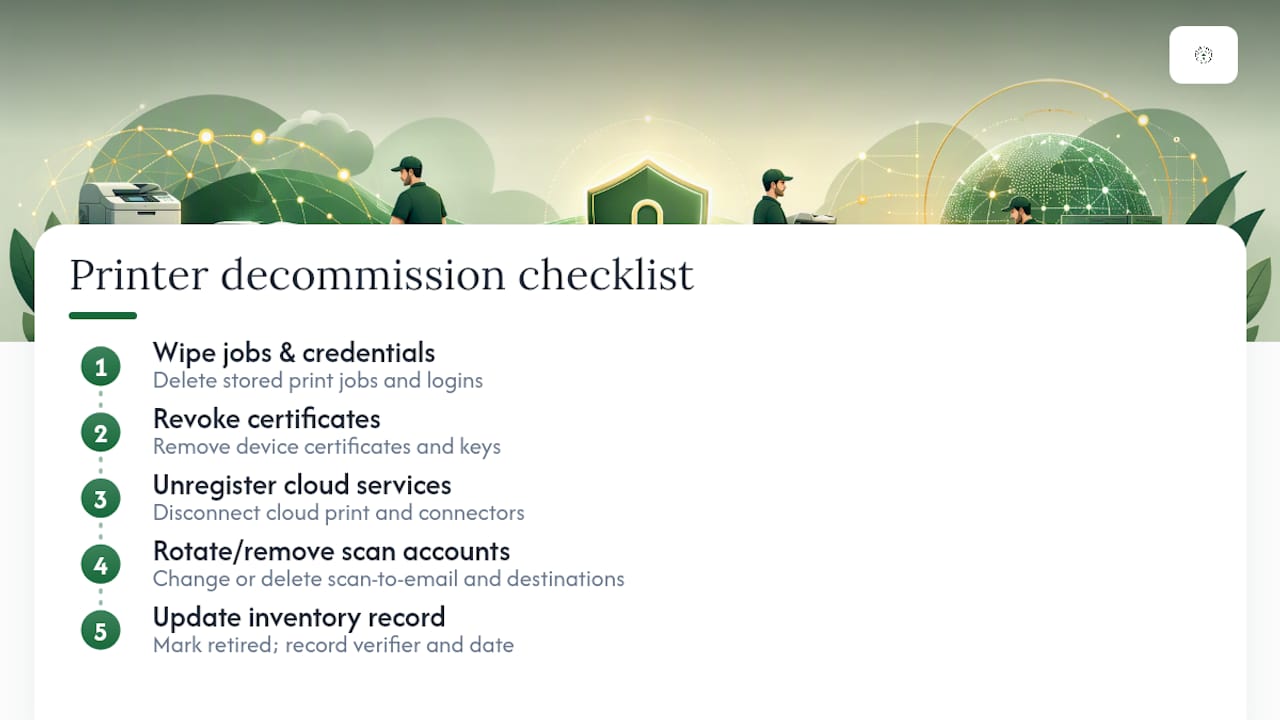
Retiring a printer without a checklist is how old devices end up holding live credentials for years after anyone remembers they exist. Before a device leaves service, wipe stored jobs and credentials, revoke its certificates, and unregister it from any cloud print service or connector it was attached to.
Rotate or remove shared scan-to-email accounts and network destinations tied to that device, then update the inventory record to reflect its retirement. Treat this as a formal, verified checklist rather than a quick unplug. A five-minute skip here is exactly how a decommissioned printer ends up as the forgotten entry point a penetration test finds a year later.
The One-Maintenance-Window Checklist
Most SMB IT teams don't get a dedicated security sprint for printers. They get a Saturday morning. Here's the order that gets the most risk reduction per hour spent:
- Run a full inventory pass and flag any device with an exposed management port.
- Remove default credentials and apply your baseline hardening to a pilot group of printers.
- Move devices onto a print VLAN, apply egress firewall rules, and block any internet-facing management interface.
- Patch print servers and connectors, or block internet access to their admin portals if the patch isn't ready yet.
Repeat the exposure scan monthly and after any new device is added to the fleet.
Pro Tip: Screenshot your firewall rules and VLAN assignments right after this window closes. Six months from now, when someone asks "why is this printer on this subnet," you'll want the answer on file instead of in someone's memory.
How We Apply This Playbook for Oklahoma Small Businesses
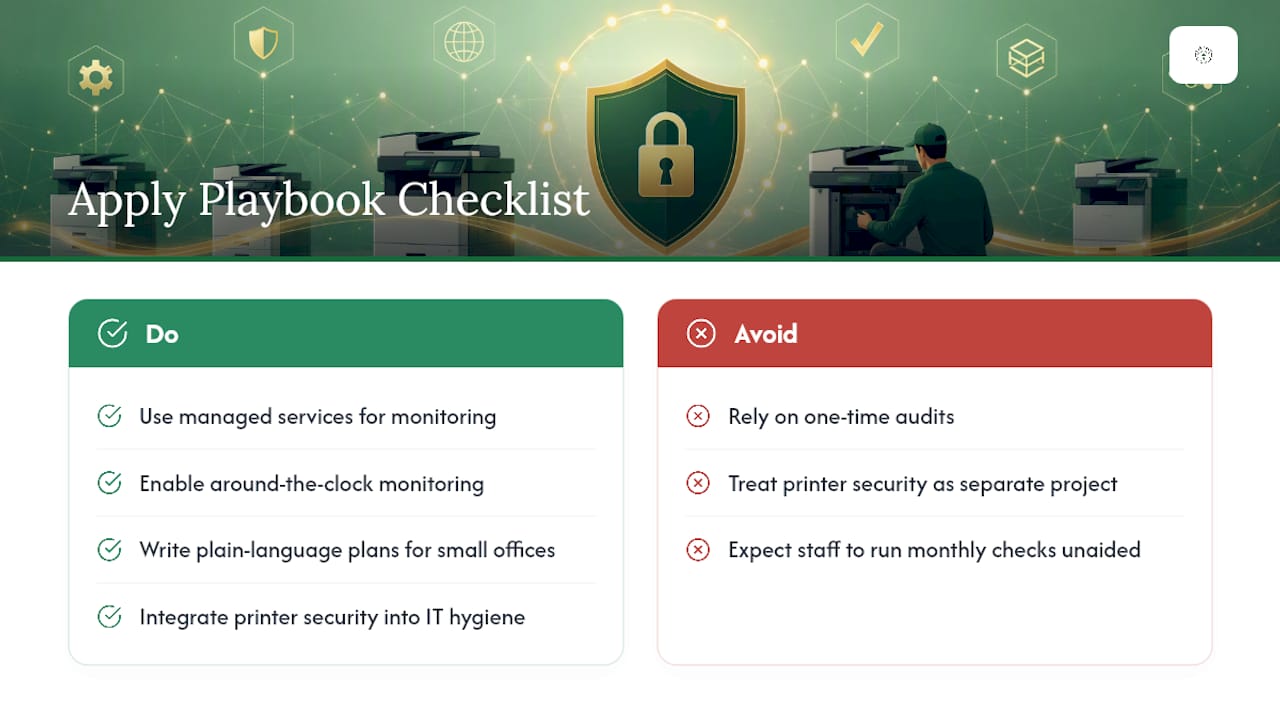
This checklist looks straightforward on paper, but most small offices don't have the staff hours to run it, verify it, and repeat it monthly. That's the gap managed services exist to close. Around-the-clock monitoring catches an exposed printer port or a stalled firmware update before it becomes an incident report, and that kind of continuous check matters more than any single audit.
What tends to get lost in national security guidance is how a five-person dental office or a small law firm is actually supposed to execute it without a dedicated security team. Plain-language plans built for small offices, rather than enterprise IT departments, close that gap. Printer security isn't a separate project. It's one line item in a broader IT hygiene program, and it works best when someone is already watching the network daily instead of discovering the printer during a breach investigation.
— Nicholas
Get Your Printer Fleet Checked Before It Becomes a Problem
Running this checklist manually every month is exactly the kind of recurring task that gets skipped when your team is busy with everything else on the to-do list. Greatplainsnetworking builds printer and network security into ongoing managed IT support, so devices get monitored, inventoried, and patched without anyone having to remember to schedule it.

Our cybersecurity team applies the same segmentation and credential controls covered in this guide, and our network management service handles the VLAN work and firmware SLAs directly. If you use Microsoft 365, our Microsoft 365 Support team can tie secure print release into your existing identity setup. Locally owned and built for Oklahoma small businesses in Norman, Moore, and Oklahoma City, we respond same-day and never lock clients into long-term contracts. Start with a free network assessment or take the 10-minute readiness audit to see exactly where your printer fleet stands today.
Sources
- Trusted Internet of Things (IoT) Device Network-Layer Onboarding and Lifecycle Management: NIST SP 1800-36
- NSA and CISA Red and Blue Teams Share Top Ten Cybersecurity Misconfigurations | CISA
- Universal Print connector and secure release | Microsoft Learn
FAQ
What Are the Main Security Vulnerabilities in Office Printers?
The biggest risks are stored default or privileged credentials, unpatched firmware, and exposed management interfaces that face the internet. CISA has documented attackers using these weaknesses for lateral movement into the broader network, not just to view print jobs.
Can My Employer See What I Print at Work?
Yes, in most cases. Print management servers and secure release systems log job metadata, including user identity, document names, and timestamps, and administrators typically control how long those logs are retained and who can view them.
Does My Business Printer Actually Need Dedicated Security Measures?
Yes. Networked printers run their own operating systems, hold credentials, and connect to internal servers, which makes them functional endpoints rather than passive hardware. The PaperCut vulnerability showed that a compromised print server can lead directly to broader network compromise.
Why Did I Get a Security Warning on My Office Printer?
Security warnings usually flag outdated firmware, an exposed management port, weak or default administrative credentials, or an expired certificate. Address the warning by checking the device's firmware version against the vendor's latest release and confirming the admin account no longer uses factory-set credentials.