
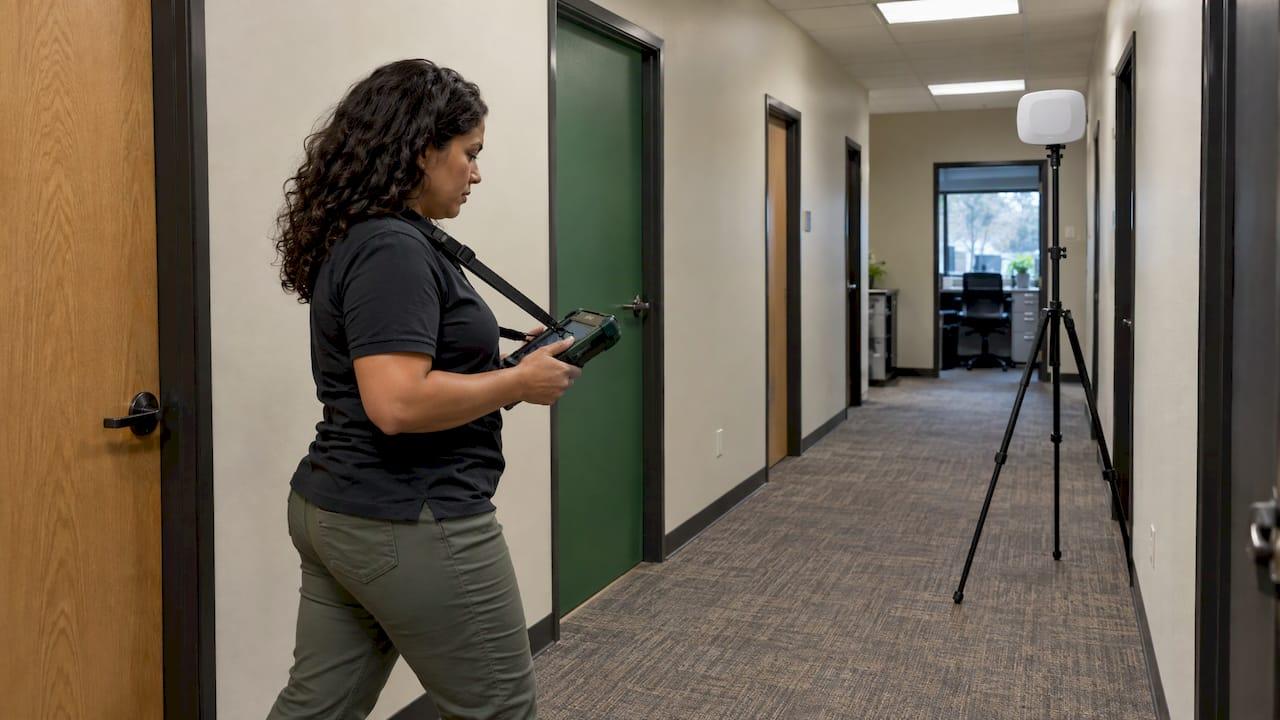
An office WiFi site survey is a set of measurements taken inside your actual building: signal strength, interference, channel overlap and real throughput, mapped onto your floor plan. It tells you how many access points (the wall or ceiling units that broadcast WiFi) you need, where they go and how they should be configured. For a small business, the survey matters most before you move, before you replace your network, and whenever dropped video calls, slow file access or dead spots start costing staff time. A survey is only as good as the person reading it, which is why we pair it with ongoing network management rather than treating it as a one-time report.
Key Takeaways
- A survey answers three questions: how many access points, where they go and how they are configured. Guessing at any of them is how offices end up with dead zones and overlapping signals.
- There are three survey types: predictive (before you move in, from blueprints), passive (listening to every signal in the built space) and active (testing real connections while the network runs).
- Test while people are in the room. Staff, furniture and new devices change how the signal behaves, so a survey of an empty office flatters the result.
- Ask for the raw survey data and a heat map for each floor. Heat maps can be made to look better than the building really is.
- WiFi changes after the survey. Monitoring and periodic re-checks keep the design valid.
Table of Contents
- What a WiFi site survey measures
- When your office needs a survey
- The three types of survey
- How an office survey is done, step by step
- What a good survey report contains
- Choosing survey tools
- Why the survey belongs inside managed IT
- Start with a free network assessment
- FAQ
- Sources
What a WiFi site survey measures
A wireless site survey analyzes the radio frequency (RF) environment where WiFi is deployed. The output is a heat map of signal strength, plus noise levels, signal-to-noise ratio (SNR), interference, throughput, data rates, packet loss and retries. A spectrum analysis picks up non-WiFi interferers such as Bluetooth devices and microwave ovens, and the survey can also flag unauthorized devices.
Two terms come up constantly:
- Signal strength (RSSI): how strong the access point's signal is where you stand, in dBm. Numbers closer to zero are stronger, so -55 is better than -75.
- SNR: how far the signal rises above background noise. A strong signal in a noisy room still performs badly.
A survey also looks at things a speed test never shows. Walls, floors and doors absorb signal. Neighboring tenants' networks share the same channels. A device that connects at the edge of coverage and transmits slowly can eat more airtime than everyone else combined.
When your office needs a survey
The usual triggers are planning a new network, and then periodic checks after floor-plan changes, new equipment that needs stronger signal, or new or heavier applications. Active surveys are the tool for investigating performance complaints.
In practice, for an Oklahoma City metro office, that looks like:
- Moving or expanding. A dental practice adding operatories, or a law firm taking the suite next door, changes both walls and device counts.
- Replacing old access points. New hardware placed where the old hardware sat carries over the old dead spots.
- Adding voice or video. VoIP phones and video conferencing need more consistent coverage than email does. Our guide to VoIP QoS settings for small offices covers the network side of that.
- Adding devices nobody planned for. In one real 36,000 square foot church deployment, 16 WiFi thermostats created demands a four-access-point design could not meet, and the survey showed at least three access points were needed in the main building. Printers, cameras, badge readers and sensors do the same in an office.
- Manufacturing floors. Metal, machinery and motors make a shop floor a different RF environment from an office. If that is you, read our network bandwidth guide for factories alongside this one.
The three types of survey
| Type | When | What it does |
|---|---|---|
| Predictive | Before you move into a space | Uses blueprints and propagation software to model where access points should go |
| Passive | After the space is built | Listens to all signals in the environment without joining the network |
| Active | While the network runs | Measures signal strength, throughput, round-trip time, packet loss and retransmission rate for specific access points |
These descriptions come from TechTarget's overview. Cisco's guidelines add detail: passive surveys listen only and are useful for finding rogue devices, locating trouble zones and validating final settings, while active surveys connect a client to the access points and are commonly used for new deployments because they give the most design detail.
Most small offices end up needing a mix: a predictive model to plan, an on-site check with a test access point, and a verification survey after installation.
How an office survey is done, step by step
1. Define what the network must support
List the applications (voice, video, cloud software, a practice-management system), the client devices (laptops, phones, tablets, scanners) and the industry requirements. Cisco's preparation checklist starts with exactly this, along with a user questionnaire and the minimum signal and SNR your devices need.
Where it goes wrong: skipping this and designing for coverage alone. A design that gives every room a signal can still fail when 30 people join a video meeting.
2. Gather floor plans and walk the space
Get digital floor plans for every area. Then do an initial walkthrough to anticipate difficult zones: concrete walls, elevator shafts, kitchens, server closets, glass partitions, file rooms with metal shelving. Cisco also asks you to settle power, cabling and mounting needs at this stage, because an ideal access point location with no cable path is not a location.
Where it goes wrong: floor plans that are out of date. If a wall was added or removed, the model is wrong from the start.
3. Check for interference first
Much office WiFi equipment runs on unlicensed frequencies, so devices that are not WiFi can interfere. A spectrum analyzer measures the real-time signal rather than captured data packets, which is why it comes before the placement survey. Bluetooth covers the whole 2.4 GHz band, microwave ovens sit near one channel, and cordless phones add more. In shared buildings, neighboring WLANs can be overlooked unless every frequency is scanned systematically.
Where it goes wrong: assuming a quiet-looking office is quiet in the radio spectrum. In a strip center or office park, your neighbors' networks are part of your environment.
4. Place a test access point and map the area
The pre-deployment method is called AP-on-a-stick: a test access point is mounted on a tripod at a candidate location, the area is walked and measured, and the results are merged into a virtual heat map. TechTarget's best practices say to expect at least two walkthroughs, more in difficult layouts, and to run the active survey while users are present, because people affect reception.
Survey each floor separately, and carry the measuring device at the height your staff actually use theirs. Cisco also warns against stacking access points directly above one another on different floors: signal bleeds through, and the two units interfere on the same channel. Stagger them.
Where it goes wrong: walking at an uneven pace, skipping corners, or letting the survey device pick up neighbors' networks and count them as yours.
5. Set coverage and capacity targets
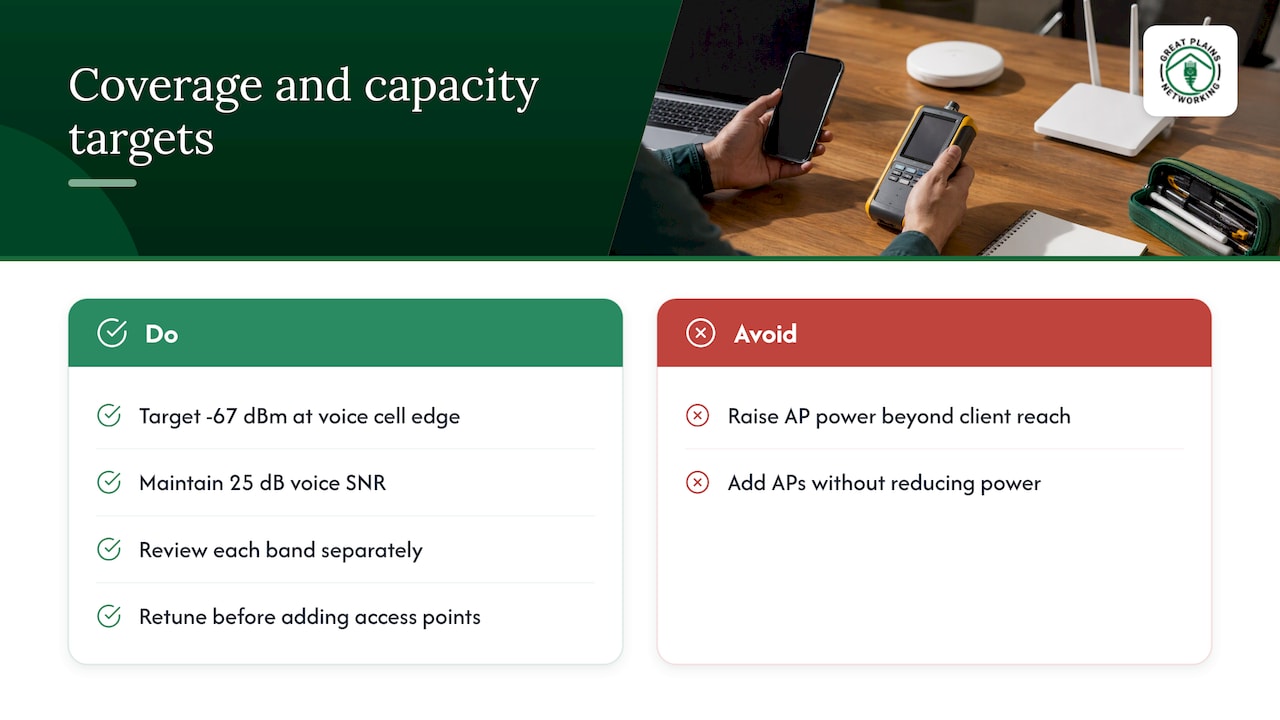
For voice, Cisco's design guidance targets -67 dBm at the cell edge with 25 dB SNR. Treat that as a demanding standard; email and web browsing tolerate weaker signals, and a consumer-grade design often misses it. A related warning from the same guidance: setting access point power higher than your client devices can match produces a connection where you can hear the access point but it cannot hear you, so uplink problems appear even when coverage looks good.
Capacity matters as much as coverage. Every device on an access point shares its airtime, and exceeding what a unit can handle causes slow connections and dropped devices. When a heat map shows a red zone, the fix is not automatically another access point. Adding units without reducing power makes co-channel interference worse, so the usual first move is relocating or retuning what you have.
In the United States, check how your design uses the 6 GHz band: standard-power operation is limited by FCC rules and requires an automated frequency coordination system, so a 5 GHz design is often the dependable base. Review each band separately, because a layout that meets 2.4 GHz targets can leave gaps at 5 GHz.
6. Install, then verify
A post-deployment survey confirms the installed network performs as designed. It can catch misconfigured, misinstalled or misaligned access points and environmental issues like neighboring access points, furniture and interfering equipment. Cisco requires post-validation surveys to verify coverage, interference sources, equipment placement and rogue devices.
As a practical test, walk a live video call from your farthest office to the front desk. If the call holds through the handoffs between access points, roaming works.
Where it goes wrong: treating installation day as the finish line. Furniture moves, tenants change and new devices arrive.
What a good survey report contains
When you receive a survey, you should see:
- Heat maps of signal coverage, SNR and noise floor for each floor, with targets and legends
- Spectrum screenshots or recordings that show interference sources
- Interference sources noted during the walkthrough
- The specific access point hardware that was modeled
- The survey type used
That list follows Cisco's checklist. The same guidance gives a useful rule for any report you receive: ask for the raw survey data files, and check that the walking path does not cut through walls or skip rooms where you need coverage. Colors on a heat map can be adjusted, so the underlying measurements are what count.
Also look for a second-best-signal map. It shows whether a device has another access point to roam to before its current connection degrades, which a primary coverage map cannot show.
Choosing survey tools
Survey software ranges from enterprise modules built into network monitoring suites to professional survey packages and open-source options. TechTarget recommends evaluating whether a tool produces readable heat maps, collects data from multiple access points and clients, models from a single walkthrough, and advises on access point placement. Professional packages have historically been priced in the thousands of dollars: a 2014 Network World review listed top tools at roughly $4,200 to $4,500 for the full versions, plus annual support for one of them.
For an office with a handful of staff, that cost and the training behind it are the reason most owners hand the survey to an IT provider. The tool is the easy part. Interpreting a spectrum capture, choosing the correct data-collection method and knowing a misleading heat map when you see one is the skill.
Why the survey belongs inside managed IT
A survey gives you a design for one moment. After that, the questions become operational: is an access point down, is a channel suddenly crowded, is a new device dragging performance, is the guest network separated from work systems? Those are monitoring and management questions.
That is how we handle it at Great Plains Networking. Our network management service sits inside managed IT support with 24/7 monitoring, so problems are identified and resolved before they interrupt your day, and we explain results in plain language rather than RF jargon. We work with small businesses in Norman, Moore and Oklahoma City, with same-day response and no long-term contracts.
WiFi design also ties into security. The way you segment staff, guest and device networks decides what a visitor's phone can reach, and our guides on securing office WiFi in one week and guest WiFi security walk through it.
Start with a free network assessment
If your office has dead zones, dropped calls or a move coming up, we offer a free network assessment as a first step. You can also take our 10-minute readiness audit to see where your setup stands. Both are free, and neither commits you to anything.

Book your free network assessment and tell us what your staff are running into. We will talk through your layout, your devices and your industry's requirements in plain terms.
FAQ
How long does an office WiFi site survey take?
It depends on the size and layout of the space. A small single-floor office is a much shorter job than a multi-floor building or a plant floor. Expect at least two walkthroughs for the design phase, according to TechTarget's best practices, plus a verification survey after installation.
Can I just run a speed test instead?
A speed test shows how one device performs at one spot at one moment. A survey maps coverage, noise, interference and channel overlap across the whole space, which is what explains why a problem happens. Speed tests are a good way to describe a symptom to your IT provider, but the cause usually shows up in the survey data.
Do I need a survey if I only have a few employees?
Small offices benefit when walls, neighbors or special devices are involved. A dental practice with several treatment rooms, or a law firm in a building with other tenants, has the same interference and coverage questions as a larger business. A survey is also worth doing before a move or a hardware replacement.
How often should an office repeat a survey?
Repeat it after floor-plan changes, new equipment that needs stronger signal, or new or heavier applications, which are the triggers TechTarget lists. Between surveys, ongoing monitoring watches for changes in performance.
Sources
- 3 types of wireless site surveys and how to conduct them, TechTarget
- Evaluate Wi-Fi mapping tools and best practices, TechTarget
- Understand Site Survey Guidelines for WLAN Deployment, Cisco
- Must-have tools for setting up a Wi-Fi net, Network World
- Factors affecting the capacity and coverage of large WLANs
- Pakedge Wireless Design Guide
- Design Guide: Site Surveys Best Practice
- Site Survey Best Practices white paper
- Site Survey Guide
- Wi-Fi Heat Mapping: From Site Survey to Access Point Placement